URL Shortener1.7.52
Publisher Description


The simplest, easiest & fastest URL Shortener & opener.
Shorten long URLs easily using is.gd, v.gd, bit.ly, shorte.st, TinyURL services to easily share them via social media like twitter or facebook using our URL Shortener. Shortening your URLs will also make the links look elegant and clean. Sometimes it's the shorter things that we prefer.
With this App, you will be able to easily keep track of newly created short URLs and access the analytics within a beautiful interface.
URL Shortener Features:
- Easily shorten URLs without any need of an account.
- Share the short links with one tap
- Add important URLs to favorites.
- Generate QR codes for each short URL
- Shorten multiple URLs on the go!
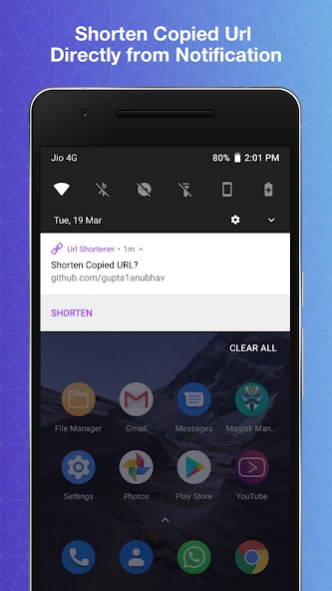
- Shorten Url from Notification
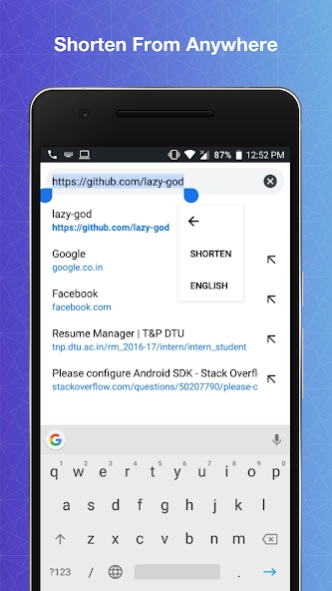
- Shorten Url from the text selection menu
- Directly share URLs from other apps to this app to get them shortened
- One-click easy copying
- Completely free
Permissions:
- Access Internet: This permission is required to send and receive data with the servers of the particular service selected.
- Access Network State: This permission is required to check if internet access is available or not
- Write External Storage: This permission is required to save QrCode on your device.
When you find a bug or need help feel free to contact me at softinit.ltd@gmail.com
If you like this app rate it, to support us.
About URL Shortener
The company that develops URL Shortener is GeekSoftApps. The latest version released by its developer is 1.7.52.
To install URL Shortener on your Android device, just click the green Continue To App button above to start the installation process. The app is listed on our website since 2022-09-04 and was downloaded 63 times. We have already checked if the download link is safe, however for your own protection we recommend that you scan the downloaded app with your antivirus. Your antivirus may detect the URL Shortener as malware as malware if the download link to com.softinit.urlshortner is broken.
How to install URL Shortener on your Android device:
- Click on the Continue To App button on our website. This will redirect you to Google Play.
- Once the URL Shortener is shown in the Google Play listing of your Android device, you can start its download and installation. Tap on the Install button located below the search bar and to the right of the app icon.
- A pop-up window with the permissions required by URL Shortener will be shown. Click on Accept to continue the process.
- URL Shortener will be downloaded onto your device, displaying a progress. Once the download completes, the installation will start and you'll get a notification after the installation is finished.
Program Details
System requirements
Download information
Pricing
Version History
version 1.7.52
posted on 2022-09-04
- Bug Fixes
- Performance Improvements
